A modern music player for Linux & Android
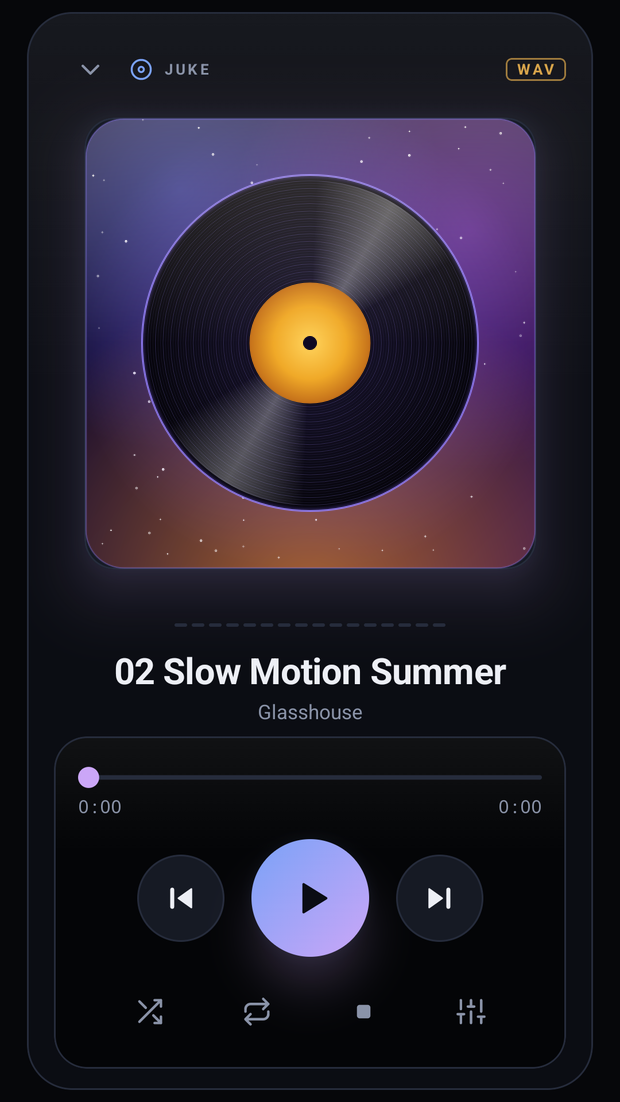
A modern music player for your phone
A 10-band equalizer, your Airsonic server, internet radio and synced lyrics — in your pocket, and it keeps playing with the screen off.
Three panes, a 10-band equalizer, Airsonic streaming and internet radio — instant with 50,000+ tracks, and easy on the battery.
Linux x86_64 · glibc 2.35+ · everything included in one file

The equalizer
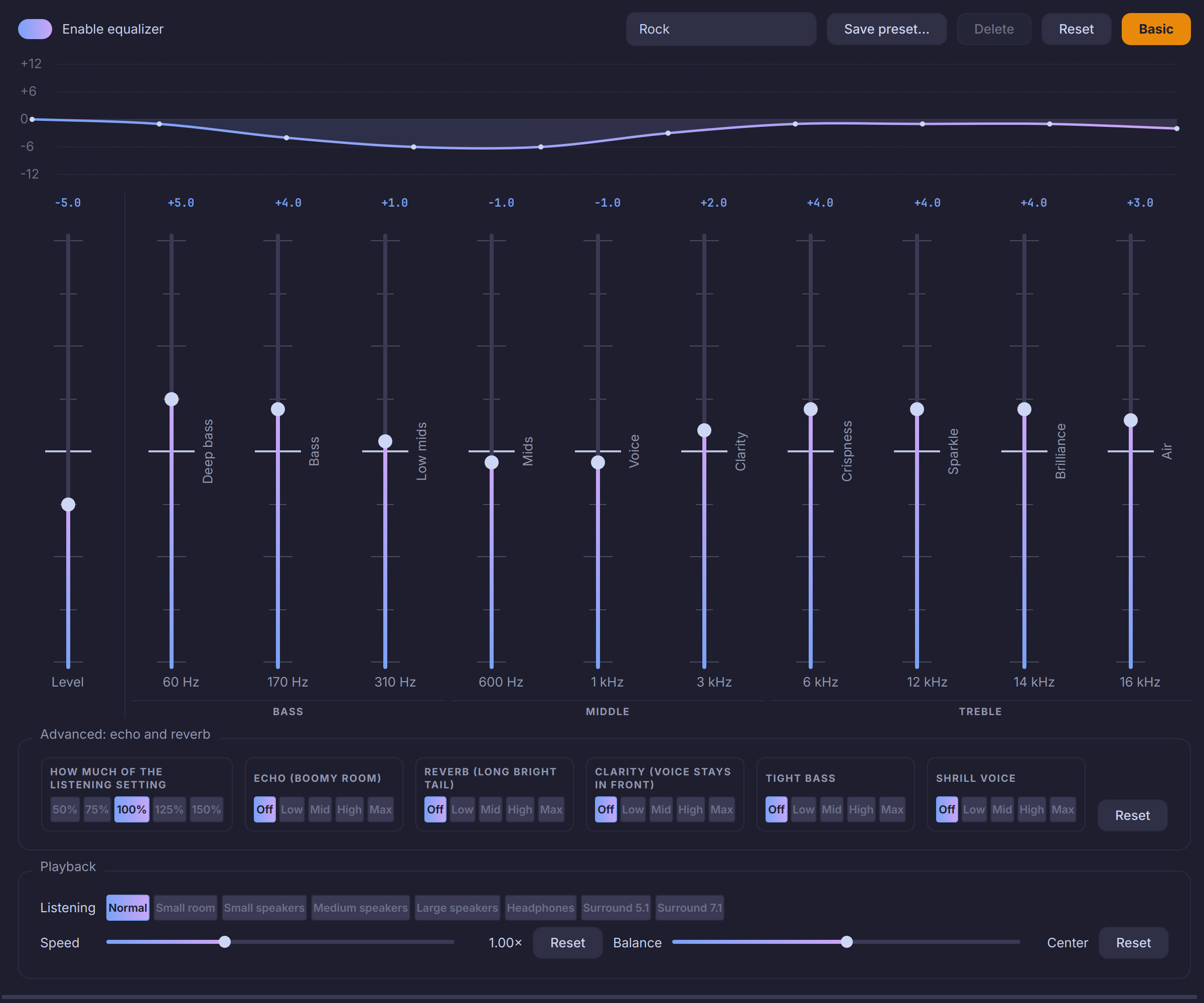
Ten bands that say what they change, 35 presets from Cumbia to K-Pop, and the same sound on your phone as on your computer.
Most players give you ten sliders and wish you luck. Juke tells you what each bar does, fixes the room you are listening in, and keeps a curve for every song.

Features
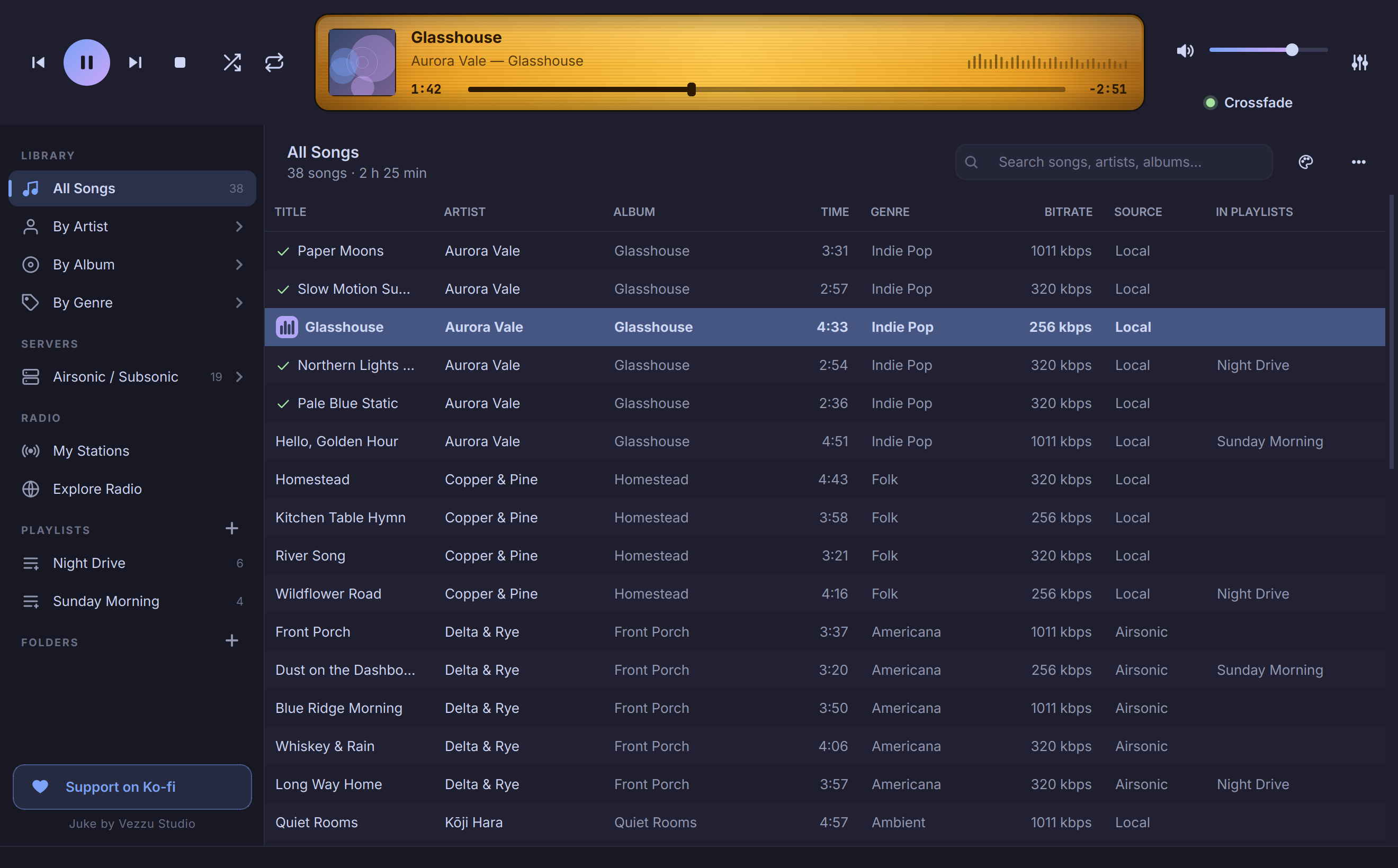
A classic three-pane layout, rebuilt with a dark or light, rounded, Libadwaita-flavoured interface and an audio engine you can tune.
The biggest update so far.
Play, pause, next and back on your keyboard, headset or the desktop's media widget — on GNOME, KDE and the rest. The volume slider is the computer's own volume, in both directions.
Choose how many seconds before a song ends the next one comes in. A green light under the volume shows it is on; one click turns it off.
60 Hz to 16 kHz with 35 presets and your own. Every bar says in plain words what it changes — Deep bass, Voice, Clarity, Sparkle — so you do not need to be a sound engineer.
Search several free lyrics services at once — English, Spanish, Portuguese, Chinese, Japanese, Korean, Arabic and more — or paste them. A column opens by itself when the song has lyrics and lights up the line being sung.
Songs on a server that is offline, or on a drive that is not connected, turn grey with a note, and playback skips them instead of failing.
A green check marks every song that has played since you opened Juke, and bars dance beside the one playing now.
A complete guide with an index, in English and Spanish, one key away: F1 on Linux, Settings ▸ Manual on Android. Also on this website.
Juke tells you which version you are on, which one is out and what changed, and you accept or cancel. One click and it replaces itself; downloads are checksum-verified.

Files, servers and radio in one library.
Sources on the left, songs in the middle, an LCD display with cover art, seek bar and level meter on top.
A virtual, lazy table and an indexed SQLite database: search, sort and filter never wait for your whole library.
Make folders, nest them, drag songs in or drop whole folders from your file manager. No import step. It all lives in Music.juke, a library folder inside Music; your files are never moved.
Change tags and the cover of one song, or select many with Ctrl+A or Ctrl+click and edit them together. Only what you change is written.
Sort any folder A→Z, Z→A, by number, newest or oldest, and find duplicate songs from the ⋯ menu.
Browse your Subsonic server the way you organised it — folder by folder — or by artist, album and genre. A 6,000-song library syncs in about 8 seconds.
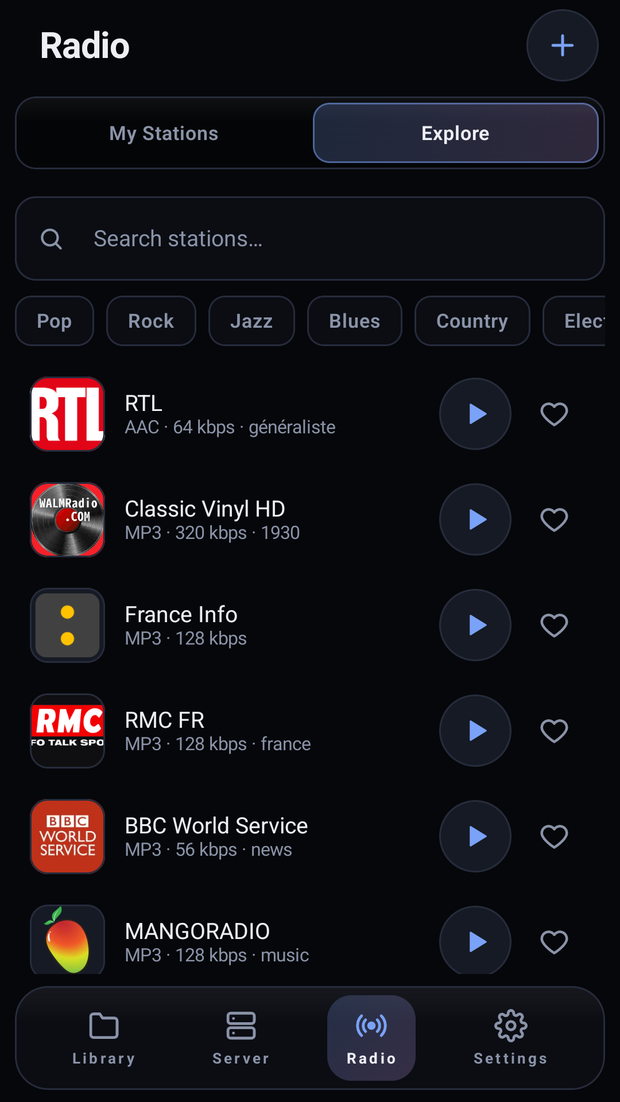
Explore the community directory or paste any web page or stream: Juke finds the audio, shows LIVE and the song on air, and follows stations when they change address.
Play next drops a song right after the current one; Add to queue goes to the end. Playlists tell you when a song is already in them, and the same menu takes it out again.
Quick, light and good-looking.
Pick a theme or match your desktop. Both are checked for legibility and switch instantly with Ctrl+T.
Ten light and ten dark, from soft pastels to deep forest and neon, one click from the palette button. All of them checked for legibility.
The whole interface switches language live. This page too.
Qt 6 scaling, fractional included. Every icon is an SVG drawn at your screen's exact scale — no blurry pixels.
An idle Juke makes no wake-ups; playing on battery it uses about 1 % of one core. The level meter rests when you unplug.
An AppImage with Python, Qt and libVLC inside, so there is nothing else to install. The first time it runs it adds itself to your applications menu, icon included.
Send feedback and read the log from the ⋯ menu. The report opens as a GitHub issue for you to review, with your folders, passwords and server address hidden.
Screenshots

Install
Everything is inside the file, so there is nothing else to install. The first time it runs, Juke adds itself to your applications menu.
Linux asks for this once for any downloaded program: right-click ▸ Properties ▸ Allow executing, or from a terminal.
chmod +x Juke-x86_64.AppImage
./Juke-x86_64.AppImageJuke adds itself to your applications menu with its icon; undo it any time in Settings.
~/.local/share/applications/juke.desktop
~/.local/share/icons/hicolor/…/juke.pngDownloads it, makes it executable and starts it.
curl -fsSL https://vezzulab.github.io/juke/install.sh | sh
Only for the source install, Juke needs libVLC on the system (the AppImage carries its own). Then:
git clone https://github.com/vezzulab/juke.git
cd juke
python -m venv .venv && . .venv/bin/activate
pip install -e .
juke
| Distribution | libVLC |
|---|---|
| Fedora | sudo dnf install vlc-libs |
| Debian / Ubuntu | sudo apt install libvlc5 vlc-plugin-base |
| Arch | sudo pacman -S vlc |
Android
Juke also runs on a phone or a tablet: your files, your server and your stations, in a player that uses the whole screen.
Android 8 and newer · phones and tablets · about 3 MB
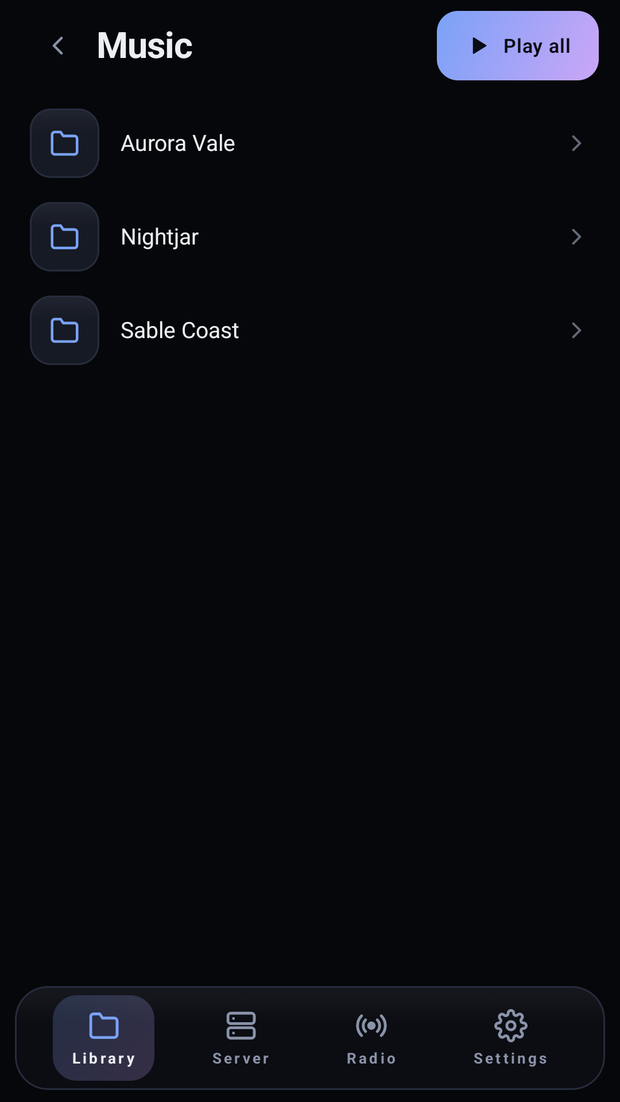
Your folders, as you filed them
Stations from the directory or from any page
A full-screen player, phone or tablet